Bring your chat to life.
Mint Overlays turns your live into a show: animated alerts, gift jars, videos and sounds on cue, AI voices, chat games, a 3D dance party, spin wheels and automation that runs while you stream, with Moxy, an AI helper, built in. One app, one link into TikTok LIVE Studio or OBS.
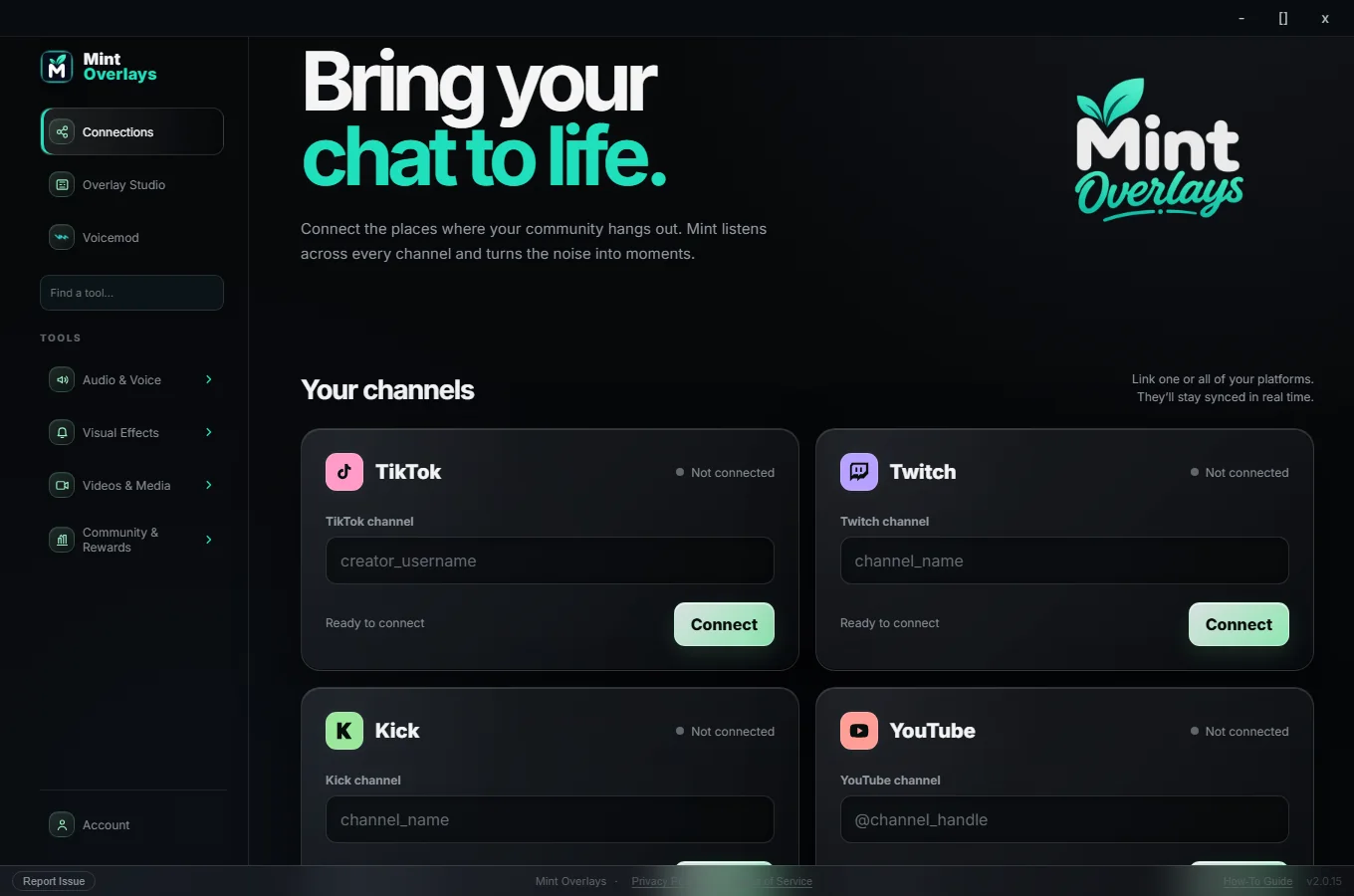
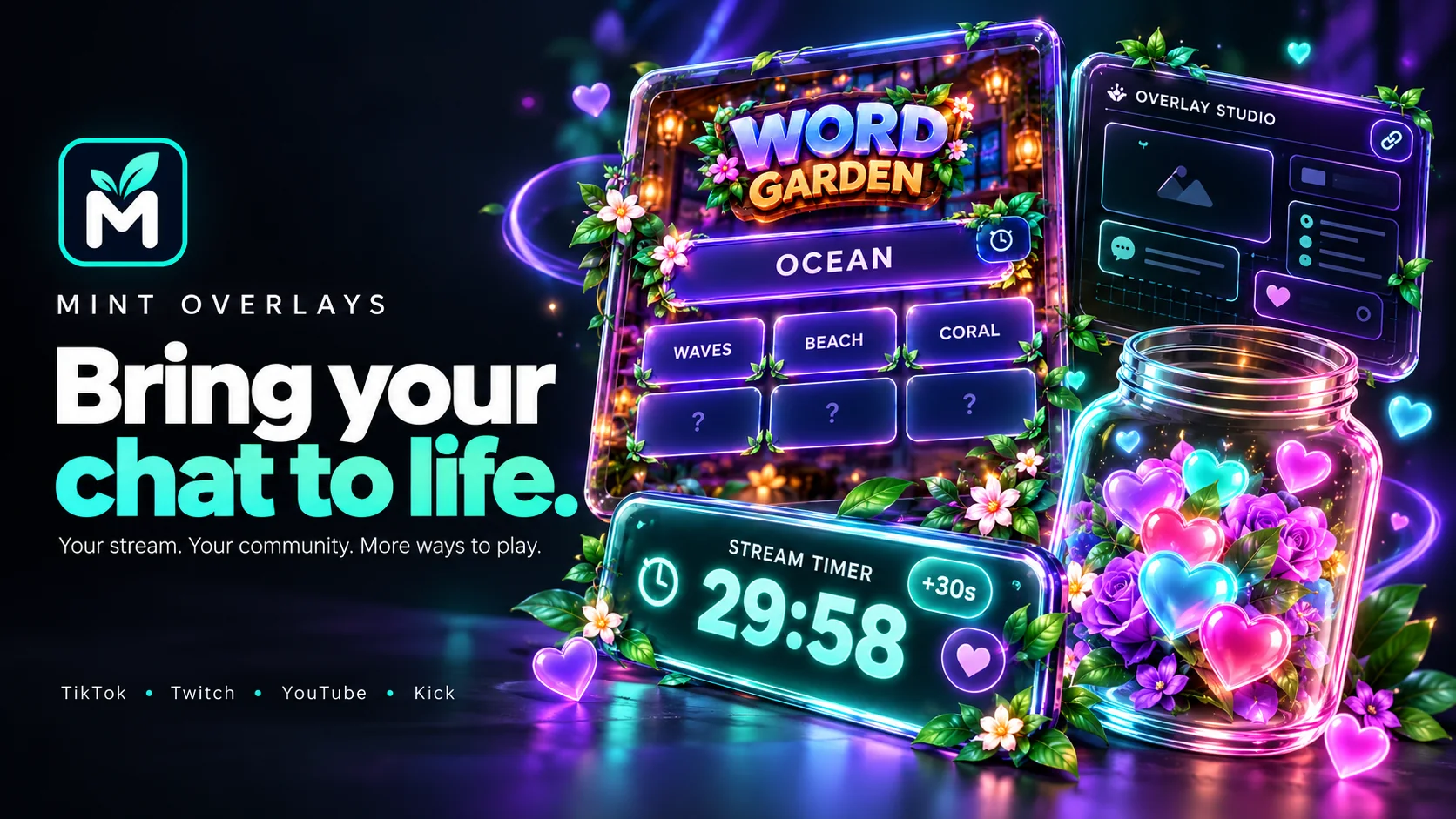
Illustration. You can connect TikTok, Twitch, YouTube and Kick; some tools, like gifts and battles, are TikTok features.
More than overlays. Your stream, on autopilot.
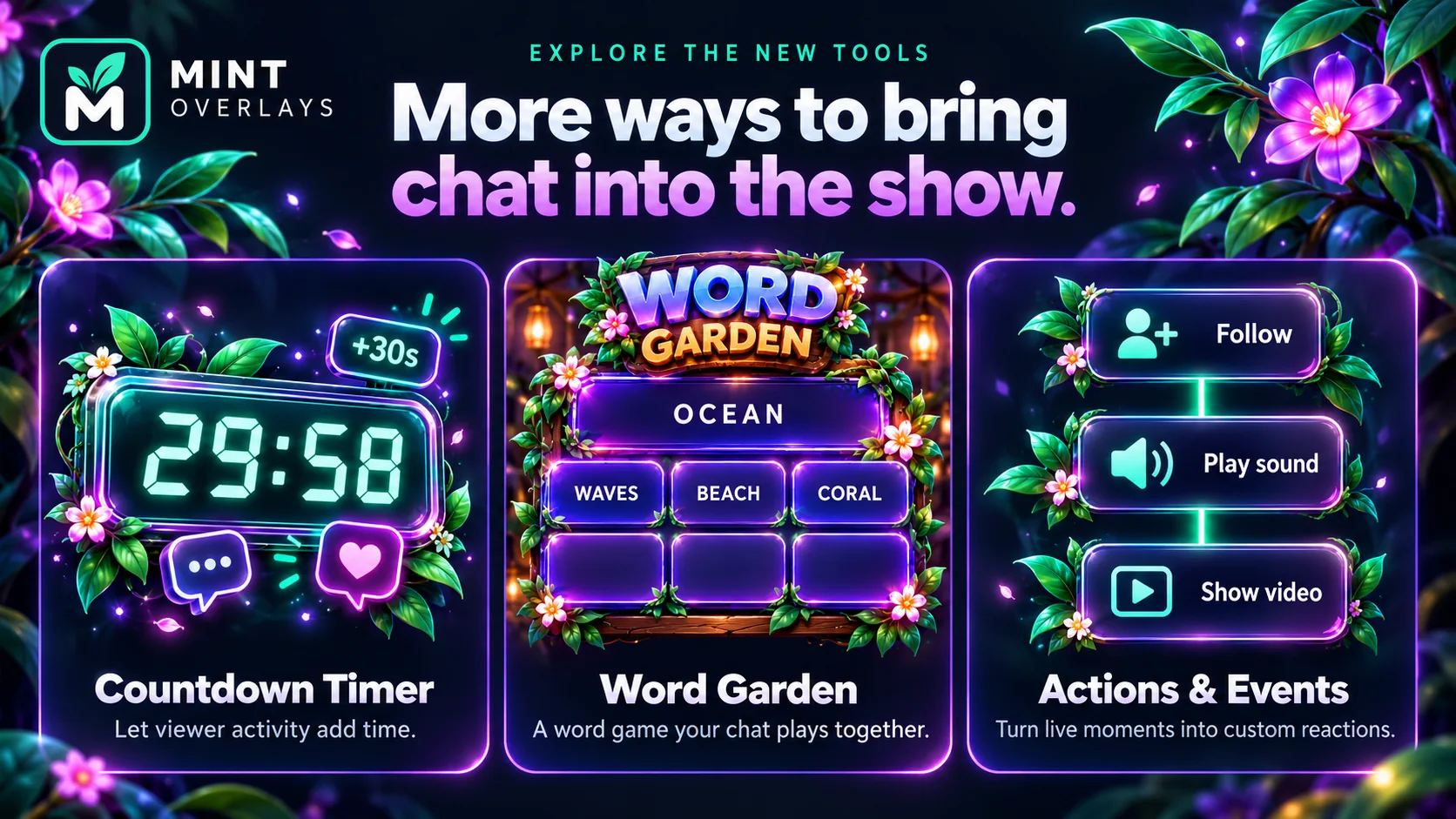
Mint keeps growing. These are the newest ways to make your live feel alive, without extra apps or extra work mid-stream.
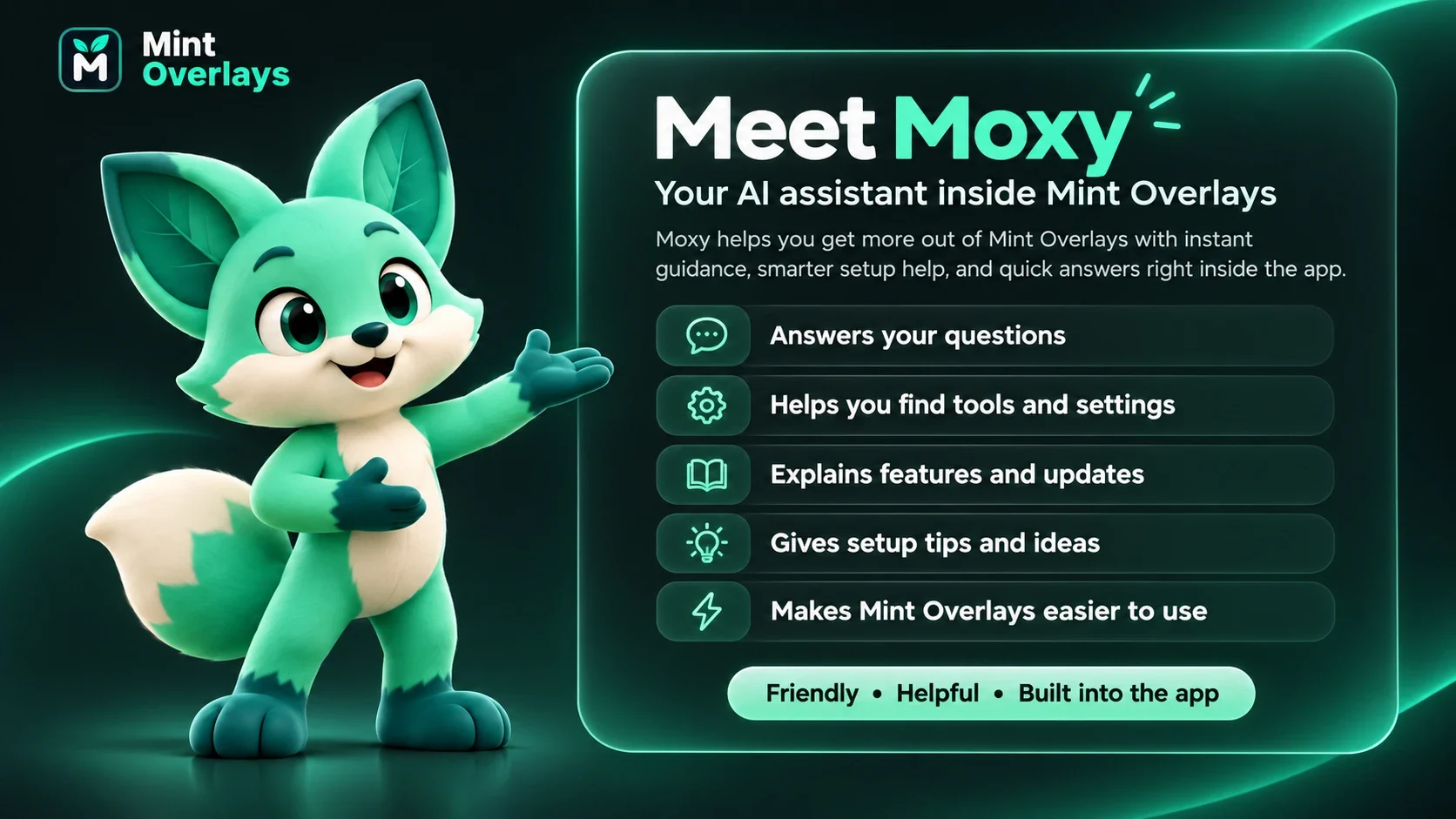
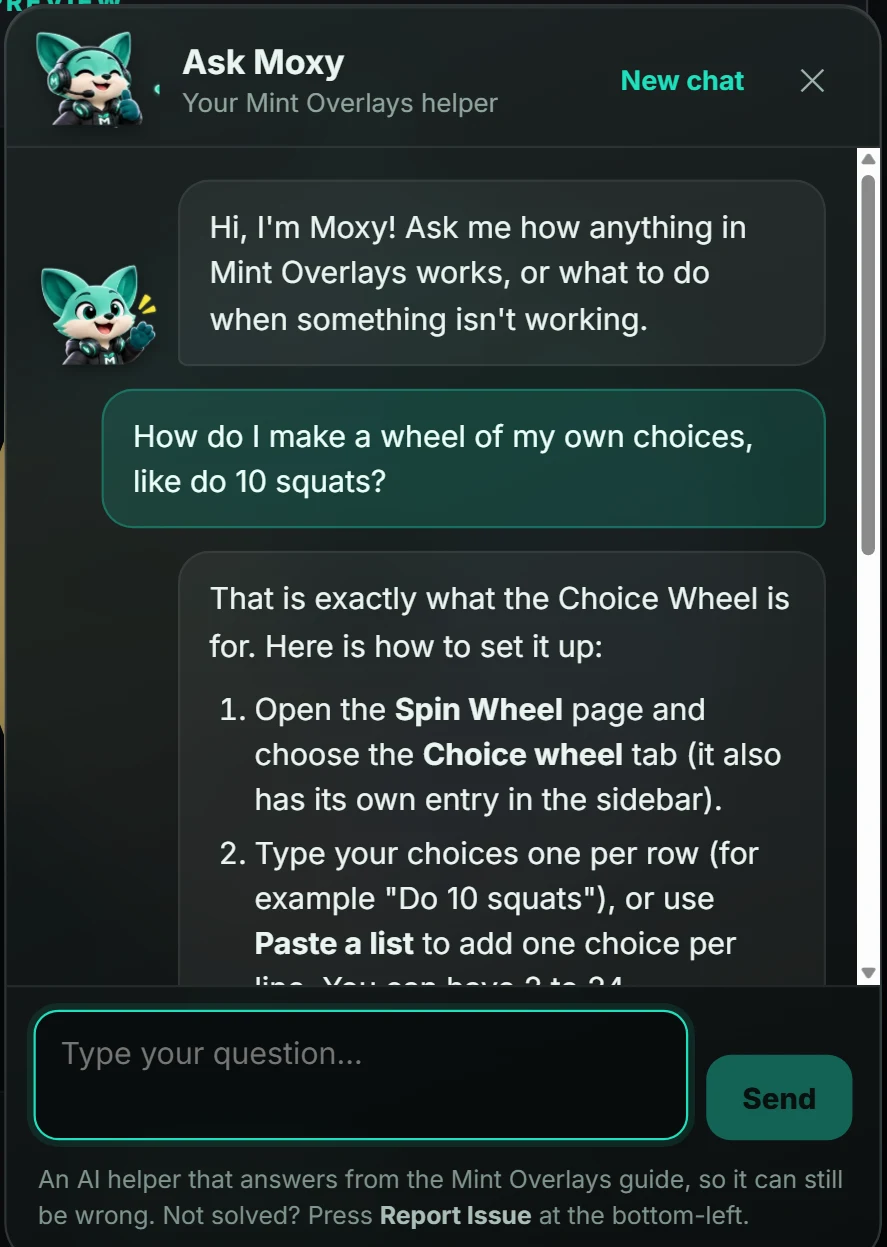
Meet Moxy, your AI helper
Stuck, or just not in the mood to read a guide? Press Ask Moxy in the app, type your question in plain words, and Moxy answers with short steps and a button that opens the right page.
- Knows Mint Overlays inside out. Moxy answers from the how-to guide, so it is best at "how do I…" and "why isn't my overlay showing?" questions.
- Opens the right page for you, so you are one click from the setting you were looking for.
- Included with your subscription. Up to 30 questions a day. Moxy can make mistakes, so there is always a Report Issue button in the app.
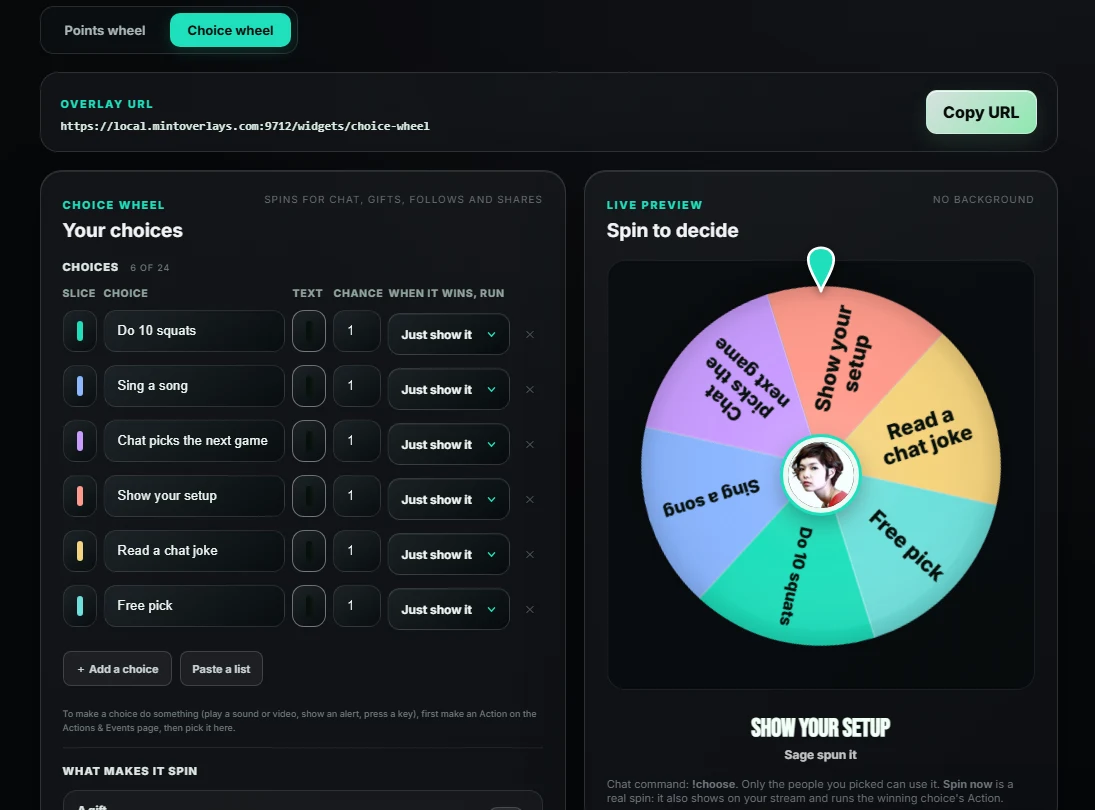
Choice Wheel
A spin wheel of your choices, like "Do 10 squats" or "Chat picks the next game". Chat spins it, a gift spins it, or you press a button, and the winning choice can run any of your Actions.
- Spins for what you choose: a chat command, a gift, a new follower, a share, or the Spin now button. Spins wait in line so none are lost.
- Choices that do something: each choice can play a sound or video, show an alert, press a key or switch your OBS scene when it wins.
- Looks the way you want: your own fonts and text colors, long choices wrap to fit, and the spinner's picture shows in the middle. Spin time is yours to set, from 3 to 15 seconds.
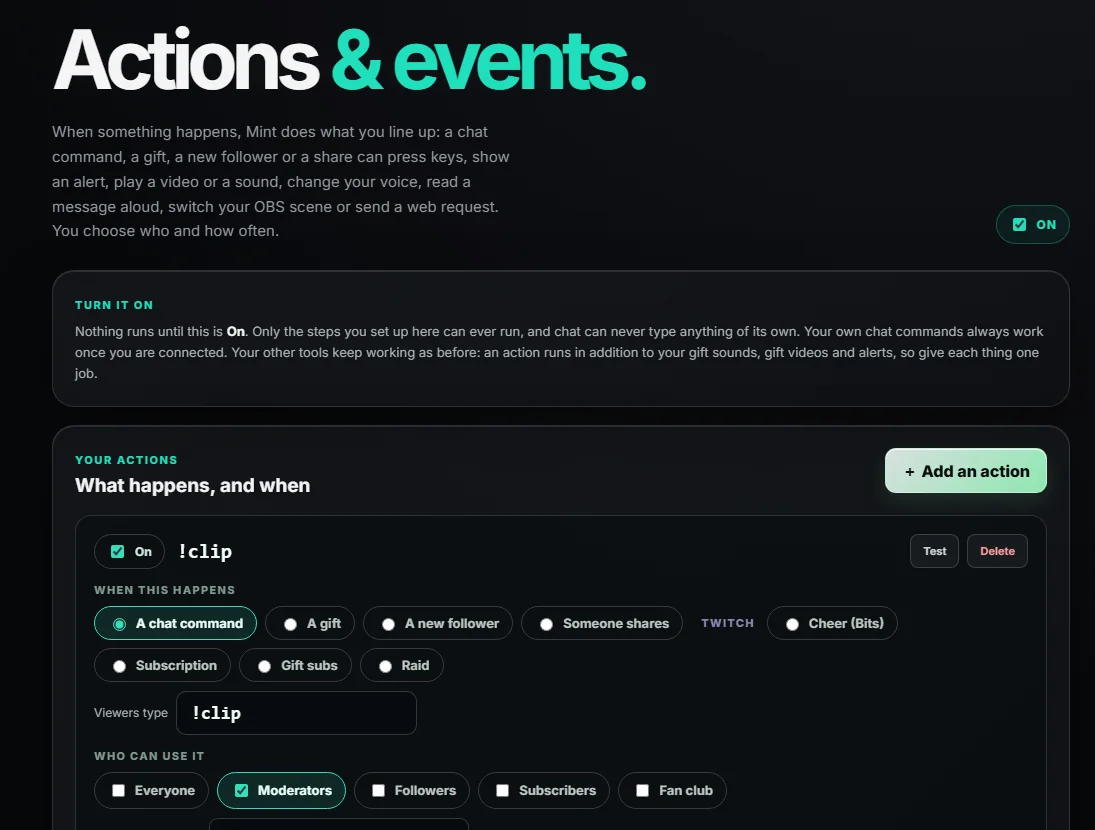
Actions & Events
Tell Mint what should happen when something happens, then forget about it. A chat command can save a clip. A Rose can play a sound and switch your scene. A raid can thank the crowd out loud.
- Triggers: chat commands, gifts, new followers, shares, fan club level-ups, and Twitch cheers, subs, gift subs and raids.
- Steps: press a keyboard shortcut, show a text alert, play a video or sound, change your voice, read a message aloud, switch your OBS scene, or send a web request.
- Under your control: choose who can use each command, set cooldowns, and delay any step so things happen in order.
Live Party
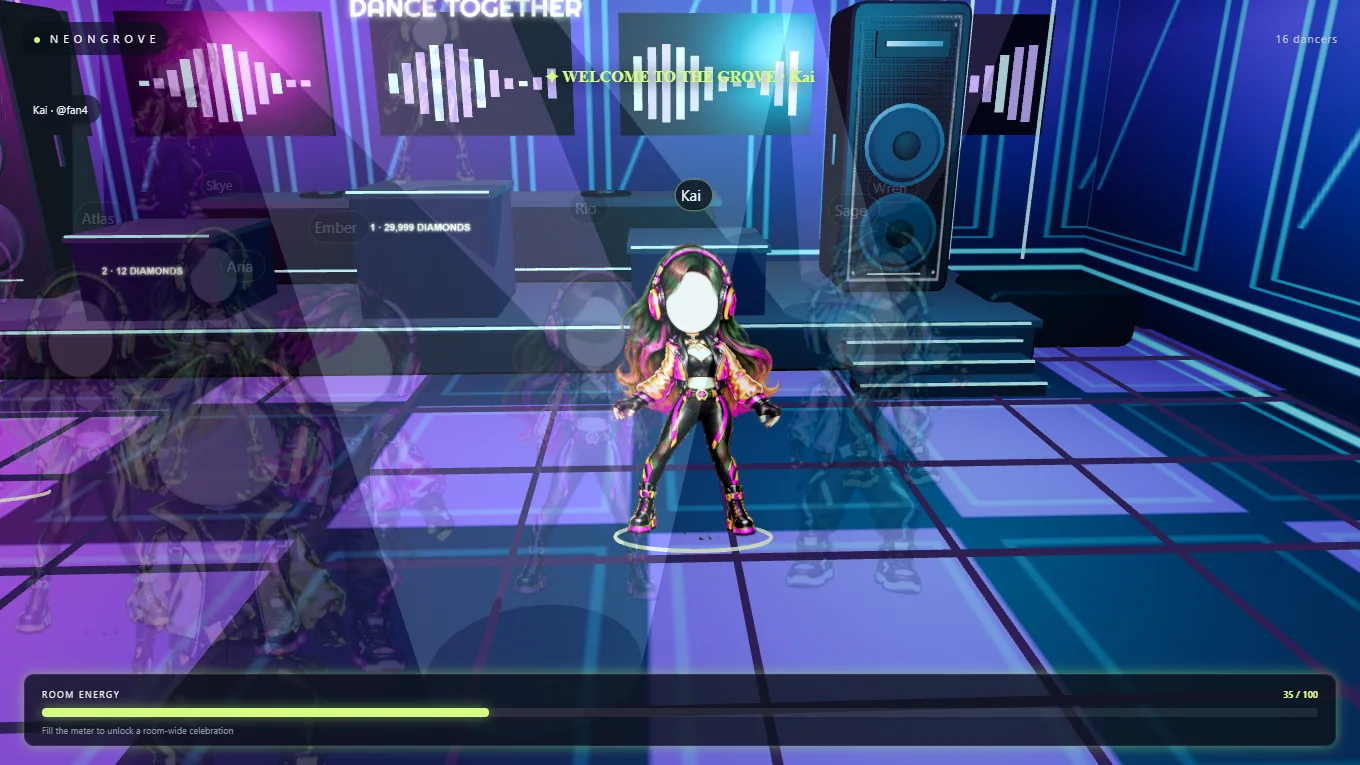
Your viewers become dancers in a 3D club that lives on your stream. Everyone who joins steps onto the floor, big gifts take the main stage, and the room fills with energy until it explodes into a celebration.
- Ten dance rooms such as Neon Grove, Latin, Country, Hip-Hop, EDM, R&B and Rock, plus holiday themes.
- Gifts have impact: wings, headliner moments and a room-energy meter your chat fills together.
- Easy to run: a simple control room, with the stage added to TikTok LIVE Studio or OBS as one link.
Word Garden
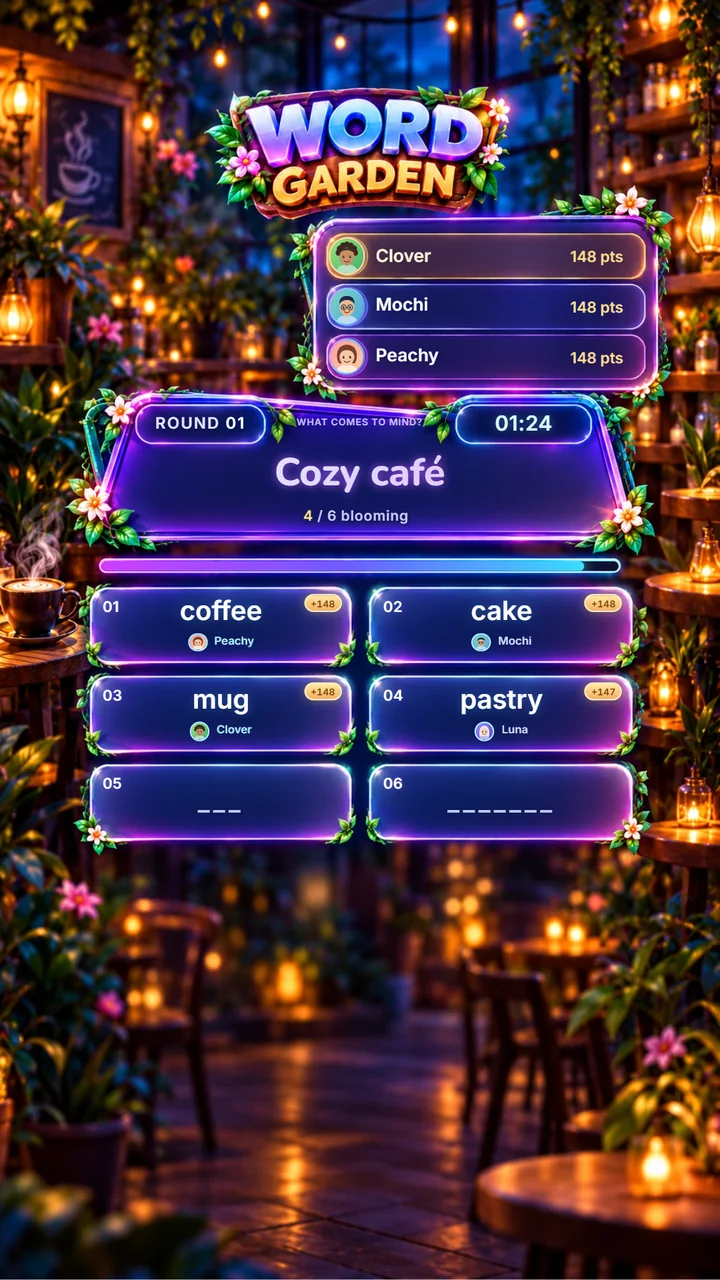
A word game your chat plays together, right on your stream. A keyword appears, viewers type what comes to mind, and every answer blooms on screen with the name and avatar of whoever found it first.
- 1,000 ready-made prompts with many ways to spell each answer, so guesses count.
- Rounds, timers and a live leaderboard, with a celebration for the round winner and the top bloomer.
- Built for phone screens: a tall layout that fits a vertical live, with your own round length.
Countdown Timer
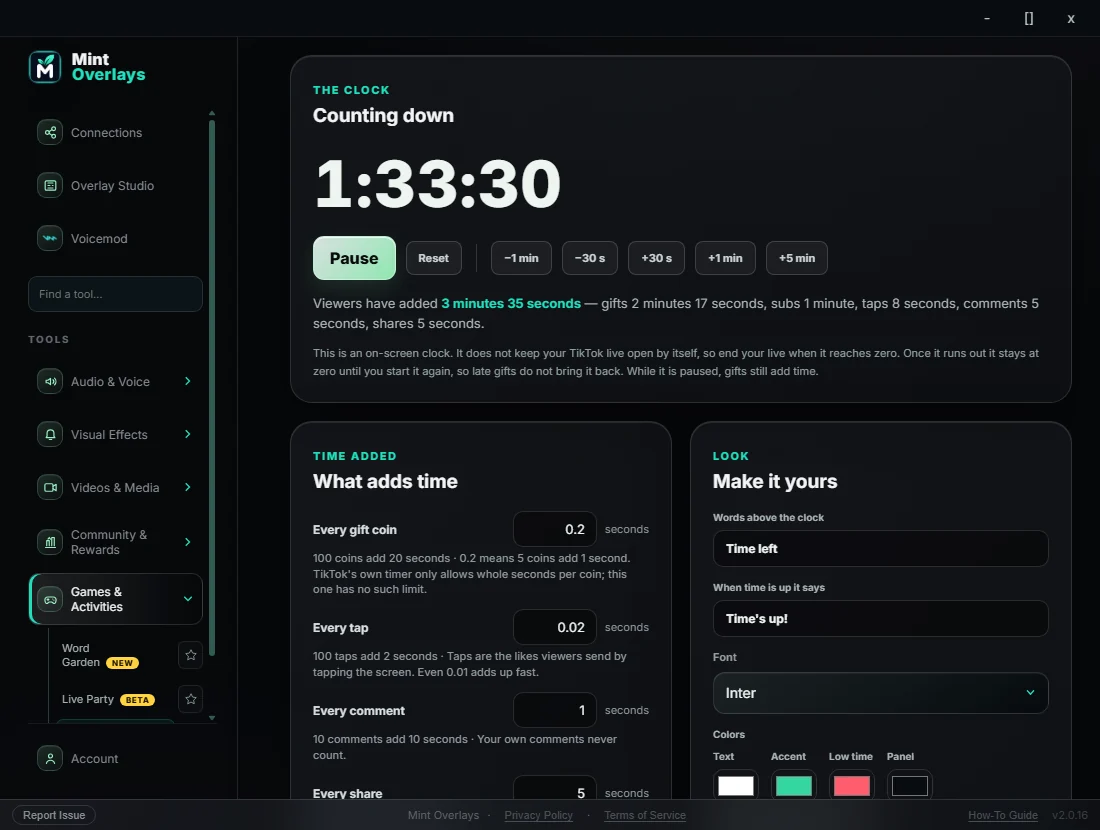
A clock on your stream that your viewers keep alive. Every gift coin, tap, comment, share, subscription and follow adds time, and you decide what each one is worth.
- You set the rules: even 0.2 seconds per coin. Start it at any time you type, like 90 minutes or 1 hour 45.
- Everyone sees who helped: pop-ups show who added time, with their profile picture and what they did.
- It is an on-screen clock. It shows how long you have promised to stay on; it does not keep your live open by itself, so you end the live when it reaches zero.
Overlay Studio
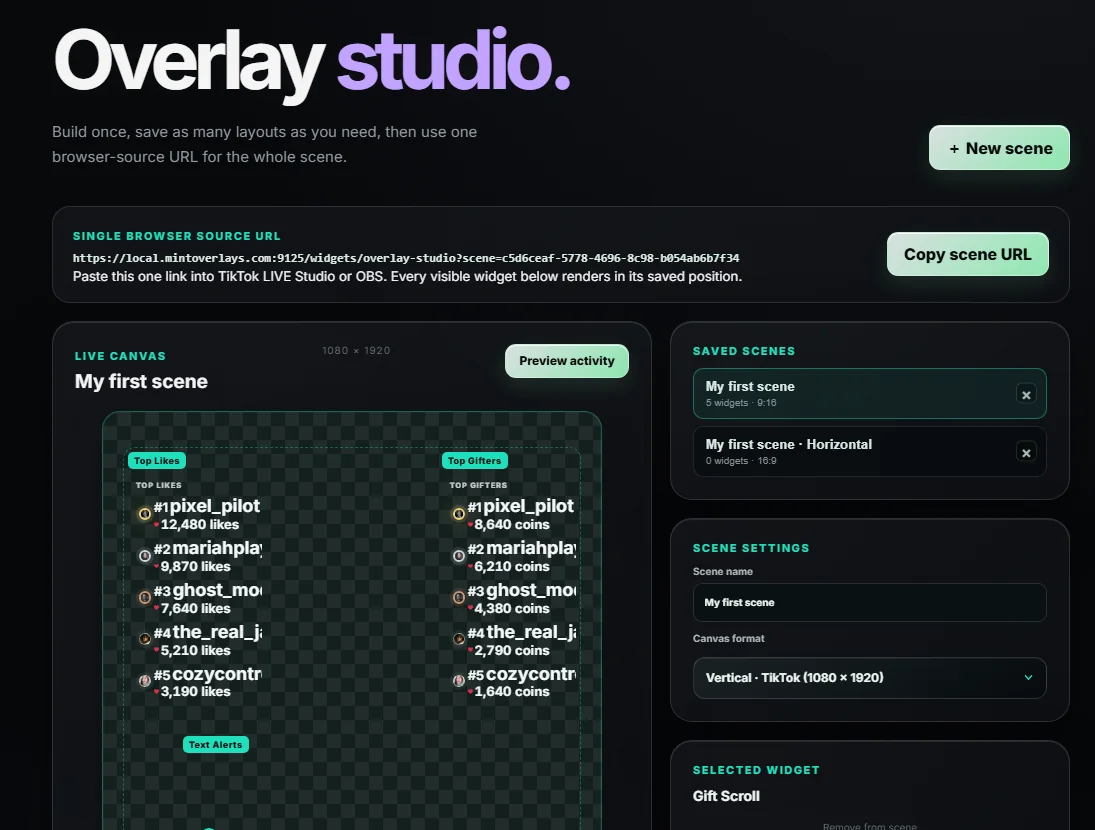
Combine any widgets into one scene: leaderboards, goals, alerts, gift scroll, videos. Place them where you want and copy a single link into TikTok LIVE Studio or OBS. Change a font or move a box and your stream updates on its own.
- One link instead of a dozen browser sources to add and keep in sync.
- Vertical and horizontal: save a layout for each, and make a video or alert play only on the shape it was designed for.
- Transparent by design. The guide frame helps you place things; your stream shows only your widgets.
One plan unlocks every tool.
No tiers, no add-ons, no widgets held back. Every tool below ships in the app and every update is included.
Voice & sound
Text to Speech
Reads chat aloud with ElevenLabs AI voices or your system voices. Profanity and slurs are filtered before anything is spoken.
Voicemod
Connect the Voicemod app and change your voice when something happens: a gift, a follow, a VIP arriving, a battle moment or a hotkey.
Soundboards
A sound effects board with a Starter pack of 50 ready-made sounds, sounds for individual gifts, and sound alerts for the moments you choose.
VIP Entrances
Give your regulars their own entrance sound when they join your live.
On-screen effects
Text Alerts
Animated alerts for follows, gifts and more. Choose the words, font, colors and motion for every trigger.
Gift Jar
Gifts drop and pile up inside a glowing glass jar with real physics, a satisfying view of your momentum.
Like Burst
Likes turn into bursts of motion across your scene, so tapping feels rewarding.
Gift Scroll
A live ticker of every gift as it lands, each shown once and the newest in front.
Battle Board Beta
A live scoreboard for TikTok battles: team panel, ranked list or slim strip, a power-ups pop-up, and a top-supporters spotlight at the end.
Goal Bars
Follower, gift and like goals with your own fonts, colors, shape and motion.
Top Likes & Top Gifters
Live leaderboards that re-sort in real time and can fit any layout, including tall phone-shaped scenes.
Videos & media
Video Board
Play your own videos and pictures on commands, follows, battle moments, Twitch events and when a viewer joins at a certain level.
Gift Videos
Give any gift its own clip from a catalog of 300 gifts. It plays once per burst instead of spamming your stream.
Mini Player
A small always-on-top window of thumbnails you can drag anywhere: play any video with one click while you are live.
Stream Credits
Roll the people who supported your stream at the end of every live.
Help, built in
Ask Moxy New
An AI helper inside the app. Ask a question in plain words and get short steps, with a button to open the right page.
Guide & page tours
A built-in guide, a short tour for every page, and a getting-started checklist, so your first live goes smoothly.
Community & rewards
Points Economy
A leveling system your viewers earn into automatically, with a live leaderboard to chase.
Spin Wheel
Viewers type !spin to win points. Custom slices, a jackpot, cooldowns, your own spin time and a winner shown on stream.
Choice Wheel New
A wheel of your own choices that spins for chat commands, gifts, follows and shares, and can run an Action when a choice wins.
Top Gift & Streak New
The biggest gift and the longest gift streak of your live, each with who sent it.
Word Garden
A chat word game with rounds, timers and a celebration for the winner.
Live Party Beta
A 3D dance club where your viewers are the crowd.
Actions & Events New
Chat commands, gifts, follows and Twitch events that press keys, play media and switch scenes.
Overlay Studio
Every widget in one scene, one link, vertical and horizontal.
Live in about five minutes.
You do not need to be technical. If you can copy and paste a link, you can use Mint Overlays.
Install and connect
Download the app, type your channel name on the Connections page and press Connect. There is no TikTok login or password to enter.
Copy a link
Pick a widget, or build a scene in Overlay Studio, and copy its link. Paste it into TikTok LIVE Studio or OBS as a browser source.
Go live
Gifts, follows, chat and likes now drive your overlays, sounds and actions. A built-in guide and page tours help the first time through.
Recommend Mint. Earn when creators join.
Join the Mint Overlays affiliate program and earn 20% commission on subscriptions from creators who sign up through your personal link, for as long as they stay subscribed.
Commissions are tracked and paid by Gumroad. A referral counts only when the person signs up through your affiliate link, so share your link, not just the name. No earnings are guaranteed. Read the affiliate terms.
One plan. Everything included.
Start with 7 days free. If it is not for you, cancel before the trial ends and you pay nothing.
- Every overlay, voice, game and automation tool in the app
- TikTok, Twitch, Kick and YouTube connections
- Overlay Studio with unlimited scenes
- ElevenLabs AI voices for text to speech
- Every future update, included
Checkout is handled securely by Gumroad. Windows 10 and 11 only; there is no Mac version. If the price ever changes, it applies to new subscribers: anyone already subscribed keeps the price they started at while their subscription stays active.
Already have a license key? Open Account in the app and paste it. Founders Edition keys keep working.
Good to know before you start.
Do I need OBS?
No. Every widget gives you a link you can add as a browser source in TikTok LIVE Studio, and the same link works in OBS if you use it. OBS is only needed for the optional scene-switching step in Actions & Events.
Which platforms does it work with?
You can connect TikTok, Twitch, Kick and YouTube. Mint is built around TikTok LIVE, so gifts, battles and likes are TikTok features. Twitch adds cheers, subscriptions, gift subs and raids as triggers.
Do I have to give you my TikTok login?
No. You connect by typing your channel name. Mint Overlays never asks for your TikTok password.
Does it work on Mac?
Not yet. Mint Overlays is a Windows 10 and 11 app.
What is Moxy?
Moxy is the AI helper built into Mint Overlays. Press Ask Moxy next to the Guide button, type a question about the app, and Moxy answers in plain steps and can open the right page. Moxy only knows Mint Overlays (it answers from the how-to guide) and can make mistakes, so the app also has a Report Issue button. It is included in your subscription, with up to 30 questions a day.
Can Moxy see my stream, my files or my TikTok account?
No. Moxy cannot see your screen, settings, files or TikTok account. When you ask a question, Mint Overlays sends what you typed, the name of the page you are on, your app version and your license key (so we can check your subscription is active) to our server, and the question is answered by an AI model from Anthropic. Please don't type passwords or personal details into the chat.
Where do I find my license key?
After you subscribe, Gumroad emails you a receipt with your license key, and the key is also on your purchase page in your Gumroad library. In the app, open Account, paste the key and press Activate. Can't find it? Email mintoverlays@gmail.com and we will help.
Will my price ever go up?
If we change the price, the new price applies to new subscribers. Anyone who is already subscribed keeps the price they started at for as long as their subscription stays active. If you cancel and subscribe again later, the price at that time applies.
How does the affiliate program work?
Join at mintoverlays.gumroad.com/affiliates and you get a personal link. You earn 20% commission on subscriptions from creators who sign up through that link, and Gumroad tracks and pays it. A referral is credited only when the person goes through your link, so we cannot add referrals afterwards. See the affiliate terms.
How do I cancel or get a refund?
You can cancel any time from your Gumroad receipt email, and your access continues until the end of the period you paid for. Refund requests follow the process in our refund policy.
Is Mint Overlays affiliated with TikTok?
No. Mint Overlays is an independent app and is not affiliated with, endorsed by or sponsored by TikTok, YouTube, Twitch or Kick. Read the disclaimer for details.